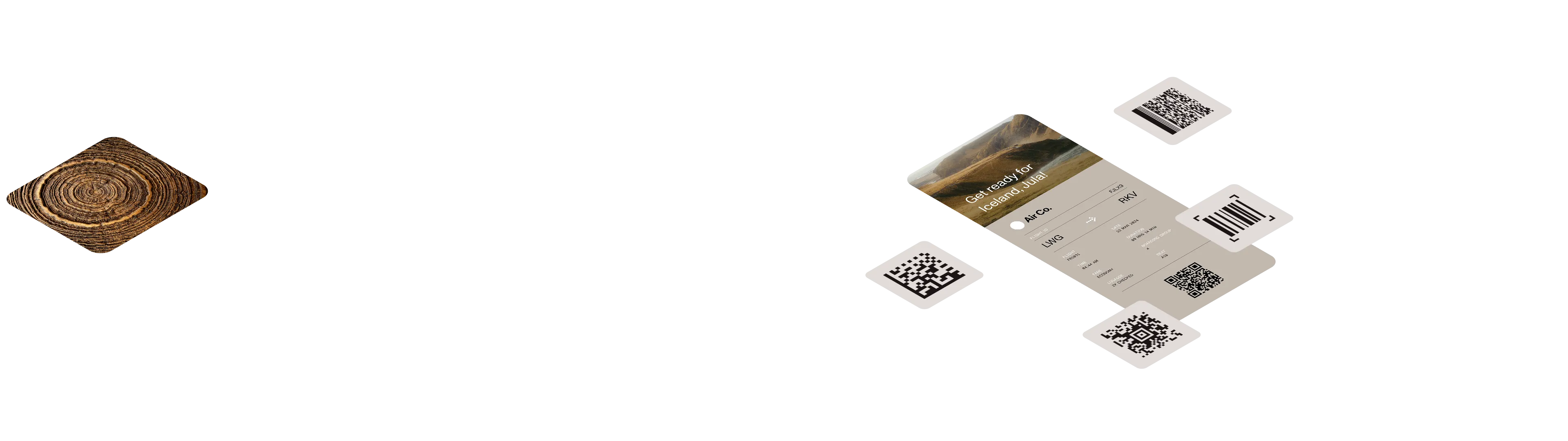
.NET barcode reader and generator
Integrate enterprise-grade barcode scanning into your .NET applications with 15+ years of AI refinement. Read 50+ barcode types from images and PDFs — even damaged or rotated codes. Generate custom QR codes, Data Matrix, PDF417, and linear barcodes with full control over size, colors, and error correction. Multi-barcode detection and multithreaded performance for high-volume workflows.
Outstanding support
Enterprise-grade barcode scanning for .NET applications
Multiple barcode types
Read and generate 50+ barcode types (including QR code, Data Matrix, PDF417, Aztec Code, MaxiCode) and 30+ 1D linear barcodes (including Code 128, EAN, UPC, Code 39). Supports all major industry standards for retail, logistics, healthcare, manufacturing, government, and financial services. Detect multiple barcodes in a single image scan for batch processing workflows.
Fully customizable toolkit
Complete control over barcode generation with customizable colors, sizes, error correction levels, and encoding modes. Configure quiet zones, rotation angles, module dimensions, and positioning. Read barcodes from 90+ image formats and PDFs. Generate output to 100+ file formats, including PNG, PDF, vector, and raster. Native .NET integration without third-party dependencies.
20+ years of proven expertise
Built on nearly two decades of AI and ML refinement with millions of barcodes processed across industries. Advanced fuzzy logic and error correction read damaged, blurred, or rotated barcodes that other scanners miss. Automatic preprocessing includes deskew, noise removal, and image enhancement.
Examples of usage
using GdPictureImaging gdpictureImaging = new GdPictureImaging();// Select the image to process.int imageID = gdpictureImaging.CreateGdPictureImageFromFile(@"C:\temp\source.png");// Scan the barcodes.gdpictureImaging.Barcode1DReaderDoScan(imageID);// Determine the number of scanned barcodes.int barcodeCount = gdpictureImaging.Barcode1DReaderGetBarcodeCount();string content = "";if (barcodeCount > 0){ content = "Number of barcodes scanned: " + barcodeCount.ToString(); // Save the value of each barcode. for (int i = 1; i <= barcodeCount; i++) { content += $"\nBarcode Number: {i} Value: {gdpictureImaging.Barcode1DReaderGetBarcodeValue(i)}"; }}// Write the values to the console.Console.WriteLine(content);// Release unnecessary resources.gdpictureImaging.Barcode1DReaderClear();gdpictureImaging.ReleaseGdPictureImage(imageID);Using gdpictureImaging As GdPictureImaging = New GdPictureImaging() ' Select the image to process. Dim imageID As Integer = gdpictureImaging.CreateGdPictureImageFromFile("C:\temp\source.png") ' Scan the barcodes. gdpictureImaging.Barcode1DReaderDoScan(imageID) ' Determine the number of scanned barcodes. Dim barcodeCount As Integer = gdpictureImaging.Barcode1DReaderGetBarcodeCount() Dim content = "" If barcodeCount > 0 Then content = "Number of barcodes scanned: " & barcodeCount.ToString() ' Save the value of each barcode. For i = 1 To barcodeCount content = content & vbLf & "Barcode Number: " & i.ToString() & " Value: " & gdpictureImaging.Barcode1DReaderGetBarcodeValue(i).ToString() Next End If ' Write the values to the console. Console.WriteLine(content); ' Release unnecessary resources. gdpictureImaging.Barcode1DReaderClear() gdpictureImaging.ReleaseGdPictureImage(imageID)End Usingusing GdPictureImaging gdpictureImaging = new GdPictureImaging();// Select the image to process.int imageID = gdpictureImaging.CreateGdPictureImageFromFile(@"C:\temp\source.png");// Scan the barcodes.gdpictureImaging.BarcodeAztecReaderDoScan(imageID);// Determine the number of scanned barcodes.int barcodeCount = gdpictureImaging.BarcodeAztecReaderGetBarcodeCount();string content = "";if (barcodeCount > 0){ content = "Number of barcodes scanned: " + barcodeCount.ToString(); // Save the value of each barcode. for (int i = 1; i <= barcodeCount; i++) { content += $"\nBarcode Number: {i} Value: {gdpictureImaging.BarcodeAztecReaderGetBarcodeValue(i)}"; }}// Write the values to the console.Console.WriteLine(content);// Release unnecessary resources.gdpictureImaging.BarcodeAztecReaderClear();gdpictureImaging.ReleaseGdPictureImage(imageID);Using gdpictureImaging As GdPictureImaging = New GdPictureImaging() ' Select the image to process. Dim imageID As Integer = gdpictureImaging.CreateGdPictureImageFromFile("C:\temp\source.png") ' Scan the barcodes. gdpictureImaging.BarcodeAztecReaderDoScan(imageID) ' Determine the number of scanned barcodes. Dim barcodeCount As Integer = gdpictureImaging.BarcodeAztecReaderGetBarcodeCount() Dim content = "" If barcodeCount > 0 Then content = "Number of barcodes scanned: " & barcodeCount.ToString() ' Save the value of each barcode. For i = 1 To barcodeCount content = content & vbLf & "Barcode Number: " & i.ToString() & " Value: " & gdpictureImaging.BarcodeAztecReaderGetBarcodeValue(i).ToString() Next End If ' Write the values to the console. Console.WriteLine(content); ' Release unnecessary resources. gdpictureImaging.BarcodeAztecReaderClear() gdpictureImaging.ReleaseGdPictureImage(imageID)End Usingusing GdPictureImaging gdpictureImaging = new GdPictureImaging();// Select the image to process.int imageID = gdpictureImaging.CreateGdPictureImageFromFile(@"C:\temp\source.png");// Scan the barcodes.gdpictureImaging.BarcodeDataMatrixReaderDoScan(imageID);// Determine the number of scanned barcodes.int barcodeCount = gdpictureImaging.BarcodeDataMatrixReaderGetBarcodeCount();string content = "";if (barcodeCount > 0){ content = "Number of barcodes scanned: " + barcodeCount.ToString(); // Save the value of each barcode. for (int i = 1; i <= barcodeCount; i++) { content += $"\nBarcode Number: {i} Value: {gdpictureImaging.BarcodeDataMatrixReaderGetBarcodeValue(i)}"; }}// Write the values to the console.Console.WriteLine(content);// Release unnecessary resources.gdpictureImaging.BarcodeDataMatrixReaderClear();gdpictureImaging.ReleaseGdPictureImage(imageID);Using gdpictureImaging As GdPictureImaging = New GdPictureImaging() ' Select the image to process. Dim imageID As Integer = gdpictureImaging.CreateGdPictureImageFromFile("C:\temp\source.png") ' Scan the barcodes. gdpictureImaging.BarcodeDataMatrixReaderDoScan(imageID) ' Determine the number of scanned barcodes. Dim barcodeCount As Integer = gdpictureImaging.BarcodeDataMatrixReaderGetBarcodeCount() Dim content = "" If barcodeCount > 0 Then content = "Number of barcodes scanned: " & barcodeCount.ToString() ' Save the value of each barcode. For i = 1 To barcodeCount content = content & vbLf & "Barcode Number: " & i.ToString() & " Value: " & gdpictureImaging.BarcodeDataMatrixReaderGetBarcodeValue(i).ToString() Next End If ' Write the values to the console. Console.WriteLine(content); ' Release unnecessary resources. gdpictureImaging.BarcodeDataMatrixReaderClear() gdpictureImaging.ReleaseGdPictureImage(imageID)End Usingusing GdPictureImaging gdpictureImaging = new GdPictureImaging();// Select the image to process.int imageID = gdpictureImaging.CreateGdPictureImageFromFile(@"C:\temp\source.png");// Scan the barcodes.gdpictureImaging.BarcodeMaxiCodeReaderDoScan(imageID);// Determine the number of scanned barcodes.int barcodeCount = gdpictureImaging.BarcodeMaxiCodeReaderGetBarcodeCount();string content = "";if (barcodeCount > 0){ content = "Number of barcodes scanned: " + barcodeCount.ToString(); // Save the value of each barcode. for (int i = 1; i <= barcodeCount; i++) { content += $"\nBarcode Number: {i} Value: {gdpictureImaging.BarcodeMaxiCodeReaderGetBarcodeValue(i)}"; }}// Write the values to the console.Console.WriteLine(content);// Release unnecessary resources.gdpictureImaging.BarcodeMaxiCodeReaderClear();gdpictureImaging.ReleaseGdPictureImage(imageID);Using gdpictureImaging As GdPictureImaging = New GdPictureImaging() ' Select the image to process. Dim imageID As Integer = gdpictureImaging.CreateGdPictureImageFromFile("C:\temp\source.png") ' Scan the barcodes. gdpictureImaging.BarcodeMaxiCodeReaderDoScan(imageID) ' Determine the number of scanned barcodes. Dim barcodeCount As Integer = gdpictureImaging.BarcodeMaxiCodeReaderGetBarcodeCount() Dim content = "" If barcodeCount > 0 Then content = "Number of barcodes scanned: " & barcodeCount.ToString() ' Save the value of each barcode. For i = 1 To barcodeCount content = content & vbLf & "Barcode Number: " & i.ToString() & " Value: " & gdpictureImaging.BarcodeMaxiCodeReaderGetBarcodeValue(i).ToString() Next End If ' Write the values to the console. Console.WriteLine(content); ' Release unnecessary resources. gdpictureImaging.BarcodeMaxiCodeReaderClear() gdpictureImaging.ReleaseGdPictureImage(imageID)End UsingTrusted by 3,000+ customers and Fortune 500 companies
15Y+
More than 15 years of experience developing our SDK
10K+
Trusted by more than 10,000 developers
Frequently asked questions
What types of barcodes can the GdPicture.NET barcode scanner SDK read and write?
The SDK supports a wide range of barcode symbologies, including:
- 2D barcodes — Formats like QR code (including Micro QR code), Data Matrix, PDF417, Aztec Code, and MaxiCode.
- 1D barcodes — More than 30 types, such as Code 39, Code 128, EAN-13, EAN-8, UPC-A, UPC-E, Interleaved 2 of 5, and Codabar
Which image and document formats are compatible with the SDK for barcode processing?
The GdPicture.NET SDK can read and write barcodes in more than 100 different image and document formats, including bitmap, metafile, and PDF.
How does the SDK handle barcodes in low-quality or skewed images?
The SDK employs advanced error correction mechanisms and image processing algorithms to accurately detect and decode barcodes, even in low-quality or skewed images.
What information does the SDK provide upon successful barcode recognition?
Upon recognizing a barcode, the SDK returns detailed information, including the decoded string value, the bounding box coordinates (top-left, top-right, bottom-left, bottom-right), and the number of rows and columns (for 2D barcodes). This comprehensive data aids developers in accurately interpreting and utilizing barcode information within their applications.
Is the SDK optimized for high-performance and multithreaded applications?
Yes. The GdPicture.NET barcode scanner SDK is designed for high-speed scanning and is optimized for performance. It supports AnyCPU configurations, making it available in both 32-bit and 64-bit versions. It’s thread-safe, allowing for seamless integration into multithreaded applications.
Which barcode technology are you interested in?
We support all major 1D and 2D barcode symbologies on the market and for all industries, including shipping, retail, transportation, healthcare, and finance.
If you have a request for specific barcode support, please contact us.