Convert 100+ file formats to PDF with a single .NET SDK
Integrate powerful document conversion into your .NET applications to handle 100+ file formats. Benefit from a robust engine with advanced features and a streamlined API that simplifies development.
All-in-one PDF conversion engine
Benefit from a quick, lightweight, and trustworthy PDF conversion engine that enables you to transform more than 100 document and image formats — including DOCX, XLSX, TXT, TIFF, JPEG, and PNG — to PDF format in your desktop, web, or mobile applications.
Extensive format support
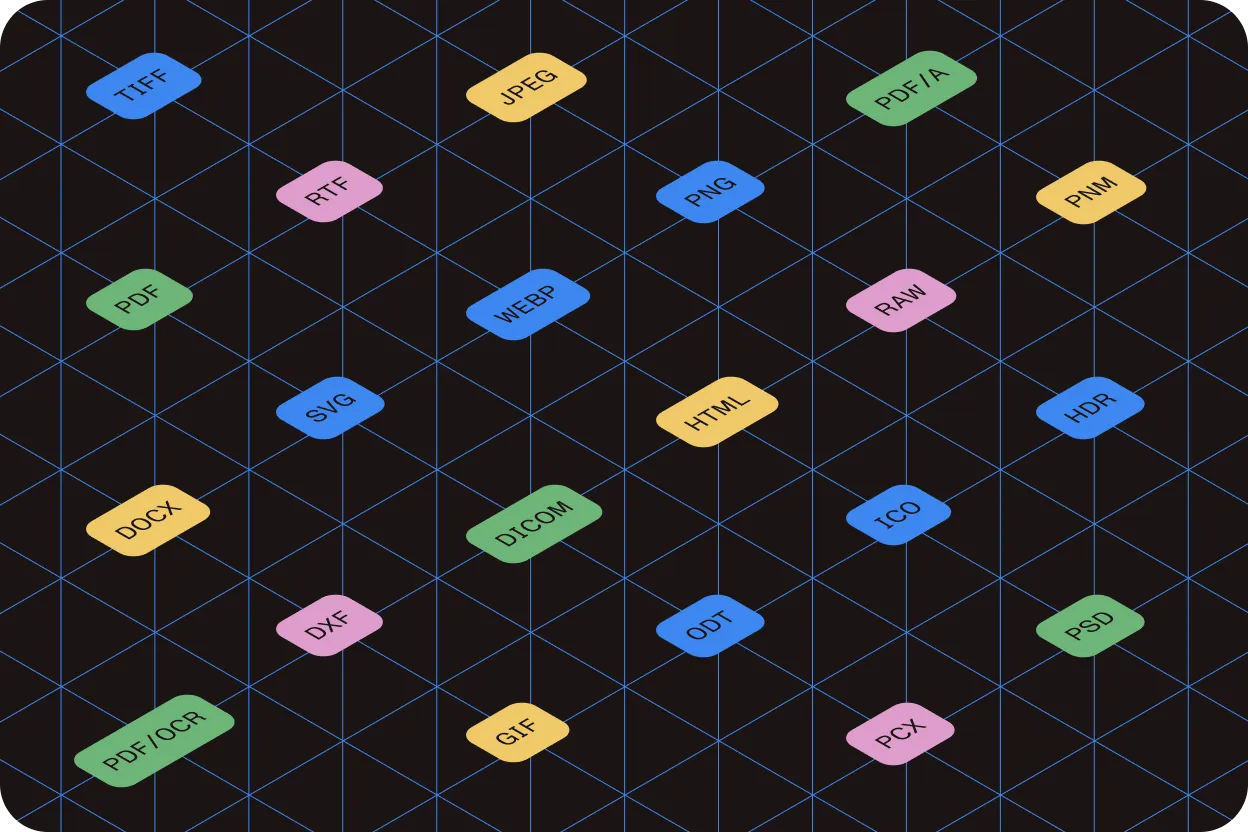
Convert popular office documents (DOCX, XLSX, TXT), image formats (JPEG, PNG, TIFF, GIF, BMP, WMF), HTML, and more.
PDF search compliance
Ensure converted PDFs are text-searchable (OCR is optional) and comply with PDF/A standards for long-term archiving.
Image optimization
Optimize image quality, color, and DPI. Resize, remove blank pages, and apply compression algorithms to reduce file size.
Text extraction
Extract searchable, reusable text content from any PDF quickly and accurately for indexing, analysis, or repurposing.
File optimization
Reduce file sizes with JBIG2 and MRC compression. Create grayscale PDFs, build portfolios, and convert scans while preserving quality.
Built for performance
Deploy on AnyCPU with 32-bit and 64-bit support. Process documents at scale with full multithreading capabilities.
PREVIEW
See it in action
Upload your document to convert it to PDF.
GET STARTED
How to use
Download and install the GdPicture.NET package to access compiled demo applications and multi-language sample projects with full source code.
Explore demo apps
Find compiled demo applications in
\Samples\Bin\.Explore multi-language source code
Find C# and VB.NET demo apps and source code in
\Samples\WinForm\.Visit reference guide
Explore other code snippets within the online reference guide.
Examples of usage
using GdPictureDocumentConverter gdpictureDocumentConverter = new GdPictureDocumentConverter();// Load the source document.gdpictureDocumentConverter.LoadFromFile(@"C:\temp\source.docx", GdPicture14.DocumentFormat.DocumentFormatDOCX);// Save the output in a new PDF document.gdpictureDocumentConverter.SaveAsPDF(@"C:\temp\output.pdf");Using gdpictureDocumentConverter As GdPictureDocumentConverter = New GdPictureDocumentConverter() ' Load the source document. gdpictureDocumentConverter.LoadFromFile("C:\temp\source.docx", GdPicture14.DocumentFormat.DocumentFormatDOCX) ' Save the output in a new PDF document. gdpictureDocumentConverter.SaveAsPDF("C:\temp\output.pdf")End Usingusing GdPictureDocumentConverter converter = new();
using Stream inputStream = File.Open(@"input.rtf", System.IO.FileMode.Open);using Stream outputStream = new MemoryStream();
GdPictureStatus status = converter.ConvertToPDF(inputStream, GdPicture14.DocumentFormat.DocumentFormatRTF, outputStream, PdfConformance.PDF1_5);if (status != GdPictureStatus.OK){ throw new Exception(status.ToString());}
status = converter.LoadFromStream(outputStream);if (status != GdPictureStatus.OK){ throw new Exception(status.ToString());}
status = converter.SaveAsDOCX("output.docx");if (status != GdPictureStatus.OK){ throw new Exception(status.ToString());}
Console.WriteLine("The input document has been converted to a docx file");using GdPictureDocumentConverter gdpictureDocumentConverter = new GdPictureDocumentConverter();// Load the source document.gdpictureDocumentConverter.LoadFromFile(@"C:\temp\source.raw", GdPicture14.DocumentFormat.DocumentFormatRAW);// Save the output in a new PDF document.gdpictureDocumentConverter.SaveAsPDF(@"C:\temp\output.pdf");Using gdpictureDocumentConverter As GdPictureDocumentConverter = New GdPictureDocumentConverter() ' Load the source document. gdpictureDocumentConverter.LoadFromFile("C:\temp\source.raw", GdPicture14.DocumentFormat.DocumentFormatRAW) ' Save the output in a new PDF document. gdpictureDocumentConverter.SaveAsPDF("C:\temp\output.pdf")End Usingusing GdPicturePDF gdpicturePDF = new GdPicturePDF();// Load the source document.gdpicturePDF.LoadFromFile(@"C:\temp\source.pdf");// Convert to a document with PDF/A-2a conformance level.gdpicturePDF.ConvertToPDFA(@"C:\temp\output.pdf", PdfConversionConformance.PDF_A_2a, true, true);// Release unnecessary resources.gdpicturePDF.CloseDocument();Using gdpicturePDF As GdPicturePDF = New GdPicturePDF() ' Load the source document. gdpicturePDF.LoadFromFile("C:\temp\source.pdf") ' Convert to a document with PDF/A-2a conformance level. gdpicturePDF.ConvertToPDFA("C:\temp\output.pdf", PdfConversionConformance.PDF_A_2a, True, True) ' Release unnecessary resources. gdpicturePDF.CloseDocument()End UsingTrusted by 3,000+ customers and Fortune 500 companies
15Y+
More than 15 years of experience developing our SDK
10K+
Trusted by more than 10,000 developers
Frequently asked questions
What types of files can be converted to PDF using the GdPicture.NET document converter SDK?
The SDK supports conversion from a wide array of file formats, including:
- Office documents — Word, Excel, PowerPoint
- Images — JPEG, PNG, TIFF, BMP
- CAD files — DWG, DXF
- SVG and DICOM formats
This versatility allows for seamless integration into applications requiring diverse document processing capabilities.
Can the SDK handle batch processing for converting multiple documents simultaneously?
Yes. The GdPicture.NET document converter SDK is designed to efficiently process multiple documents in batch mode. This feature streamlines workflows by enabling the simultaneous conversion of numerous files, thereby enhancing productivity and operational efficiency.
Does the SDK support the creation of PDF/A-compliant documents for long-term archiving?
Absolutely. The SDK enables the generation of PDF/A-compliant files, adhering to ISO standards for long-term archiving. This ensures documents remain accessible and retain their integrity over extended periods, which is crucial for legal and regulatory compliance.
Is it possible to merge different file types into a single PDF document using the SDK?
Yes. The SDK provides functionality to combine various file formats into a single PDF. This includes merging documents like Word files, Excel spreadsheets, images, and more into one cohesive PDF document, simplifying document management and distribution.
How does the SDK ensure the quality and fidelity of converted documents?
The GdPicture.NET document converter SDK employs advanced rendering techniques to maintain high quality and fidelity in converted documents. It accurately preserves the original layout, fonts, images, and other elements, ensuring that the resulting PDFs are true representations of the source files.
Is GdPicture’s document conversion engine consistent with Nutrient’s web and mobile SDKs?
Yes. GdPicture.NET is part of the Nutrient product family, and the document conversion technology is shared across Nutrient’s desktop, web, and mobile SDKs, enabling consistent format transformation on all platforms.
60-day free trial