ICR vs OCR: Main Differences, Comparison, and Which to Use

Table of contents
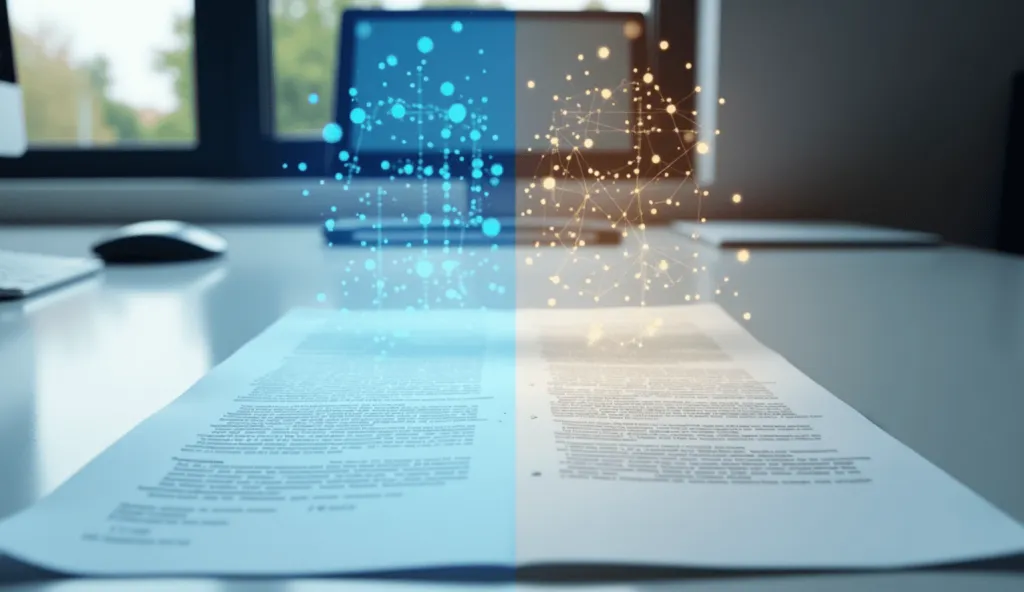
When it comes to extracting text from documents, two technologies often come up -- ICR vs OCR. While both fall under the umbrella of character recognition, they serve different functions and excel in different scenarios.
We have created a comprehensive and detailed guide breaking down -- definitions, key characteristics, main differences, accuracy benchmarks, use cases, implementation considerations, and more -- helping you choose the right solution for your specific requirements.
What Is OCR and ICR?
Optical Character Recognition(opens in a new tab) (OCR) is a long-standing technology that converts printed or typed text into machine-readable data. It works well with structured, high-quality printed documents.
Intelligent Character Recognition (ICR) is an advanced form of OCR designed to interpret handwritten text. Powered by neural networks and machine learning, ICR adapts to different handwriting styles and learns over time.
Key Characteristics of OCR and ICR
| Characteristic | OCR (Optical Character Recognition) | ICR (Intelligent Character Recognition) |
|---|---|---|
| Text Recognition | Reads printed, machine-generated text | Reads cursive, handwritten, and variable text styles |
| Document Compatibility | Best for structured, clean documents with standard layouts | Handles unstructured or complex documents with mixed formatting |
| Technology Approach | Based on static pattern recognition | Uses AI and machine learning to adapt and improve over time |
| Accuracy with Handwriting | Low to moderate, depending on clarity | High accuracy, even with varied handwriting styles |
| Adaptability | Fixed logic; doesn’t learn from new data | Continuously learns and improves through exposure to new inputs |
Why to Use these Technologies
Manual data entry remains costly and error-prone. Businesses spend billions annually processing forms, receipts, and other physical documents. Solutions that use OCR and ICR technologies offer scalable, automated, cost-effective alternatives.
TL;DR: Key Differences Between OCR and ICR
- OCR: Best for printed documents; uses pattern recognition and feature detection.
- ICR: Designed for handwriting; relies on advanced neural networks and continuous learning.
- OCR is faster and less resource-intensive.
- ICR is more accurate for handwritten content.
Which Companies/Industries Benefit from Using OCR and ICR
OCR and ICR technologies are widely used across industries that deal with large volumes of documents, forms, or handwritten data.
Here are some examples of industries that benefit from using these technologies --
- Banking & Finance
Automate data entry for checks, invoices, and account forms
Streamline loan processing and customer onboarding
- Insurance
Speed up claims processing
Digitize handwritten forms and policy documents
- Healthcare
Convert patient records, prescriptions, and lab reports into digital format
Improve data accuracy and reduce administrative workload
- Logistics & Transportation
Scan shipment labels, delivery receipts, and tracking forms
Automate order processing and warehouse documentation
- Legal Services
Digitize contracts, case files, and handwritten notes
Make legal documents searchable and easier to manage
- Education
Convert exam sheets, student records, and handwritten assignments
Archive academic documents efficiently
- Government & Public Sector
Process census data, ID forms, and public records
Digitize and manage large volumes of physical documents
ICR vs OCR -- How to Choose the Right Technology
We've provided below a simple tabular format below to compare both technologies. You can then choose the best option as per your use-case and exact requirements.
| Comparison Point | OCR (Optical Character Recognition) | ICR (Intelligent Character Recognition) |
|---|---|---|
| Best For | Printed, typed, or machine-generated text in structured documents | Handwritten, unstructured, or mixed-content documents |
| Text Recognition | Recognizes standard fonts and layouts accurately | Can interpret various handwriting styles and non-standard fonts |
| Document Quality | Performs well on clean, high-quality scans | Handles lower-quality scans and aged or damaged documents more effectively |
| Layout Flexibility | Works best with forms or documents that follow a fixed format | Adapts to varying layouts and inconsistent formatting |
| Technology Complexity | Simple pattern recognition with predefined rules | AI-driven recognition that learns and improves over time |
| Speed & Efficiency | Faster processing with lower hardware requirements | Slightly slower due to deeper analysis and learning processes |
| Cost of Implementation | More affordable with lower maintenance needs | Higher investment due to advanced capabilities and learning algorithms |
| Accuracy with Handwriting | Limited or inconsistent accuracy with cursive or stylized writing | High accuracy with handwritten input, even across different individuals |
| Use Cases | Invoices, printed forms, contracts, receipts | Application forms, surveys, historical documents, medical records |
| Scalability | Easily scalable for high-volume, repetitive processing | Scalable, but may require more processing power for complex documents |
| Context Awareness | Minimal—focuses on recognizing characters visually | Strong—can infer meaning and context from surrounding words or layout |
| Learning Ability | No learning capabilities; fixed recognition patterns | Continuously improves through machine learning based on new handwriting input |
From Pattern Matching to Neural Networks
Early character recognition systems relied on pattern recognition techniques. These systems matched pixel patterns against stored font characters, converting matches into searchable text. The requirement for exact pixel matches limited practical use.
OCR-A became the first specialized font designed for pattern recognition. This monospace font gave each character equal width, making bank check scanning possible.
Pattern recognition libraries grew to include Times New Roman and Arial. Yet limitations persisted, especially considering one font website listed more than 775,000 fonts by 2021.
Feature detection solved many pattern recognition problems. Instead of matching whole characters, the system identifies distinctive elements.
Two angled lines meeting at a point with a horizontal line crossing the middle signals an 'A', regardless of font style. This method works even with new fonts or damaged documents.
Modern character recognition software prefers feature detection for its flexibility. The method handles faded ink and degraded documents that defeat pattern matching. Feature detection adapts to real-world document variations, essential for practical applications.
Neural Networks in Modern ICR Technology
ICR technology advances beyond OCR through neural networks built for handwritten text. Earlier rule-based handwriting systems gave way to machine learning algorithms, dramatically improving accuracy and efficiency.
ICR neural networks mirror human brain function, excelling at object detection through extensive handwriting datasets. Convolutional Neural Networks (CNNs) lead ICR implementations.
These networks identify features, edges, and patterns across multiple layers, recognizing handwritten characters despite style variations.
ICR software includes self-learning neural networks that update recognition databases automatically. This continuous learning handles diverse handwriting styles through sophisticated algorithms.
The system interprets handwritten characters within words, sentences, and paragraphs, processing complex handwritten documents effectively.
Processing: From Image Capture to Text Output
OCR and ICR share a structured process converting physical documents to digital text:
- Image Acquisition - Document digitization through scanners or cameras
- Preprocessing - Image cleaning, noise removal, and enhancement
- Binarization/Segmentation - Breaking text into lines, words, and characters
- Feature Extraction - Identifying character shapes and elements
- Pattern Recognition - Classifying features using machine learning
- Contextual Analysis - Understanding word and sentence meaning
- Post-processing - Converting recognized text to usable digital format
This modular design enables system optimization. Teams can test different configurations and swap components to improve results. New handwriting recognition engines integrate smoothly, enhancing performance.
Core Capabilities of OCR Technology
OCR systems convert static text images into machine-readable data. These systems serve as essential components in document automation pipelines worldwide. Modern OCR technology offers distinct capabilities compared to advanced ICR solutions.
TLDR: OCR systems achieve 95-99% accuracy for printed text, support 200+ languages with varying recognition levels, and process structured documents including forms and tables—though with limitations compared to ICR for complex layouts and handwriting.
Machine-Printed Text Recognition Accuracy Rates
OCR technology excels at processing standard printed text under optimal conditions. Current OCR solutions reach accuracy rates above 95% for machine-printed documents. Leading platforms report rates up to 99.8%.
Key factors affect accuracy:
- Document quality: Wrinkled, faded, or damaged documents reduce recognition rates
- Image resolution: Higher resolution (300+ DPI) improves precision
- Text characteristics: Font type, size, contrast, and alignment impact success
Google Cloud Vision leads benchmark tests with 98.0% text accuracy across document types. AWS Textract follows at 99.3% accuracy, excluding handwritten samples. Enterprise OCR solutions achieve 99.2% accuracy on standard typed text.
OCR accuracy falls when processing handwriting, stylized fonts, or complex layouts. ICR technology handles these challenges more effectively.
Multi-Language Support and Character Set Limitations
Modern OCR systems process text across many languages and writing systems. Leading platforms support over 200 languages, including 50 languages in handwritten form.
OCR language support includes:
- Supported languages: Regular performance evaluation and updates
- Experimental languages: Active development without regular testing
- Mapped languages: Support through language code mapping
OCR systems handle Latin scripts well, along with Cyrillic, Arabic, Devanagari, and East Asian characters. Some implementations allow multi-language processing through configuration settings, working best with one primary language.
OCR engines need training on specific character sets. They recognize standardized fonts like OCR-A and OCR-B effectively. However, decorative fonts, special notation, and rare scripts pose challenges.
Document Processing Capabilities -- Comparing ICR vs OCR
Modern OCR systems handle structured documents beyond basic text extraction. These systems process invoices, forms, receipts, and identification documents.
Advanced processing features include:
- Layout analysis: Preserves paragraphs, columns, and tables
- Form field detection: Extracts data from labeled fields
- Table recognition: Maintains row/column relationships
- Format preservation: Reproduces headers, lists, and styles
OCR focuses on converting image text for digital editing. This differs from ICR and Intelligent Document Processing solutions offering broader analytical capabilities.
Standard OCR systems struggle with mixed layouts, varied fonts, and handwritten notes. ICR technology handles these cases better through neural networks and contextual understanding.
Advanced Features of ICR Technology
ICR technology handles handwritten text more effectively than traditional OCR. Created in the early 1990s for form processing automation, ICR now uses sophisticated artificial intelligence algorithms to improve accuracy and capability.
TLDR: ICR technology surpasses OCR through specialized algorithms for handwriting variation, self-learning neural networks that improve over time, and contextual understanding capabilities that analyze text beyond individual characters.
Handwriting Variation Handling Algorithms
ICR uses specialized algorithms to process different handwriting styles OCR cannot read. The system achieves 97% or higher accuracy rates when reading handwritten content in structured forms. Key components include:
- Machine learning algorithms with convolutional neural networks (CNNs) and recurrent neural networks (RNNs)
- Feature recognition breaking characters into smaller segments
- Pattern analysis identifying distinctive handwriting elements
ICR examines structural characteristics rather than seeking exact matches. This method recognizes cursive writing, handles slant variations, and adapts to inconsistent character shapes that confuse OCR systems.
Self-Learning Capabilities and Continuous Improvement
ICR technology improves recognition accuracy automatically over time. The neural network system updates its recognition database with new handwriting patterns. The learning process follows these steps:
- Stores new handwriting samples
- Analyzes patterns and connections
- Updates recognition algorithms
- Refines accuracy with each document
More processed documents lead to better performance. The neural network recognizes more handwriting variations as the training dataset grows. Organizations gain improved accuracy without manual updates or reprogramming.
Context Understanding in Modern ICR SDKs
Advanced ICR systems use context to improve accuracy. While OCR processes individual characters, ICR applies natural language processing (NLP) to understand broader text patterns.
The contextual system uses:
- Dictionary comparison with language-specific word lists
- Analysis of nearby characters for likely combinations
- Word-level recognition focusing on complete words
This approach resolves ambiguous characters effectively. When visual analysis cannot distinguish between similar letters like 'a' or 'o', the system checks surrounding text and likely word matches.
Leading ICR solutions work with existing document management systems. Organizations process handwritten forms efficiently while maintaining high accuracy across document types.
Accuracy Comparison
OCR and ICR technologies show distinct performance differences in real-world use. These metrics help organizations choose the right technology for their document processing needs.
TLDR: OCR achieves 95-99% accuracy for printed text but struggles with handwriting (20-96%), while ICR delivers consistently higher accuracy for handwritten content. OCR processes documents faster with fewer computational resources, yet ICR provides superior error handling through self-learning capabilities.
Recognition Accuracy Benchmarks (2024 Data)
OCR and ICR systems show varying accuracy rates based on document type:
| | | Printed Text | >95% | >95% | | Handwriting | 20-90% | Up to 97% | | Printed Media | 60-90% | 90-95% |
Google Cloud Vision leads OCR solutions with 98.0% text accuracy across document types. AWS Textract follows at 99.3% accuracy, excluding handwritten samples. Azure Computer Vision reaches 99.8% accuracy for structured printed text but struggles with handwriting.
Enterprise systems consider 98-99% accuracy excellent, while rates below 90% indicate poor performance. A 99% accurate system still produces 10 errors per 1,000 characters.
ICR technology excels at handwritten documents, achieving 97% accuracy for structured forms. Advanced neural networks and contextual understanding enable this superior performance.
Processing Speed and Requirements
OCR processes documents faster than ICR due to simpler algorithms. ICR requires more computational power for its neural networks and machine learning systems.
Speed and accuracy trade-offs affect implementation choices:
- OCR maximizes throughput for high volumes
- ICR prioritizes accuracy over speed
- Enterprise systems allow performance tuning
OCR deployments cost less than comparable ICR systems. Basic computing resources support OCR, while ICR needs advanced hardware for neural network operations.
Error Handling and Exception Management
Both technologies use exception management for recognition failures. These systems maintain workflow efficiency even when processing damaged documents or unusual formats.
Current exception management provides:
- Central monitoring of process automation issues
- Quick exception resolution
- Remote exception handling across locations
ICR adds self-learning capabilities that improve accuracy over time. Exception rates decrease as neural networks adapt to document types and handwriting patterns.
Enterprise systems often combine automated processing with human review for complex cases. This hybrid approach ensures accuracy and regulatory compliance across document types.
What You Should Keep in Mind when Implementing these Technologies
OCR/ICR deployment success depends on factors beyond technical specifications. Organizations need proper integration strategies, deployment models, and scalability plans to maximize operational efficiency.
TLDR: OCR/ICR implementations require seamless integration with existing document management systems, careful consideration of on-premises vs. cloud deployment models based on security requirements, and strategic performance optimization to handle varying document volumes.
Integration with Existing Document Management Systems
OCR technology(opens in a new tab) works with Document Management Systems (DMS) and related applications to enable efficient workflows. Key integration benefits include:
- Automated document workflow processing
- Form scanning with verification and analysis
- Quick text-based document searches
Amazon Textract shows these capabilities by extracting text from scanned documents and providing confidence scores. Amazon Rekognition APIs process both images and videos, supporting human review tasks.
On-Premises vs. Cloud-Based Deployment Options
Companies choose deployment models based on specific needs:
| | | Control | Full infrastructure control | Limited control with external servers | | Security | Custom security standards | Provider security measures | | Cost | High initial investment | Subscription-based pricing | | Scalability | Hardware limitations | Quick resource scaling | | Implementation | Extended deployment | Rapid deployment |
Scalability and Performance Optimization Techniques
Modern OCR SDK solutions scale through adaptable technologies. Key optimization methods include:
- Hardware upgrades - Better CPU, RAM, and storage
- Parallel processing - Resource utilization
- Engine tuning - Speed and accuracy balance
- Environment testing - Bare metal vs. virtual performance
Container architecture enables quick resource allocation for changing demands. Parallel processing delivers fast results for large documents.
Successful implementation requires systematic bottleneck identification and compatible software selection.
Technical Selection Framework: ICR vs OCR
Selecting between OCR and ICR technology requires careful evaluation of document processing needs. The choice affects operational efficiency, data accuracy, and long-term costs.
TLDR: OCR works best for printed documents with standard fonts, while ICR excels with handwritten content. Your selection should consider document types, processing volume, and total cost over time.
Document Type Analysis Decision Tree
Document characteristics determine optimal technology selection:
- Document Format:
Standard printed documents point to OCR
Handwritten forms need ICR
Forms with checkboxes require ICR
- Font Complexity:
Regular fonts work well with OCR
Complex fonts or handwriting demand ICR
- Content Structure:
Fixed layouts suit OCR systems
Variable layouts need ICR capabilities
Document quality matters significantly—poor images with unclear text reduce accuracy in both systems.
Requirements Assessment
OCR processes documents faster than ICR due to simpler algorithms. Volume requirements guide technology selection:
- Large document volumes favor OCR speed
- Small batches with handwriting need ICR
- Regular document types like invoices work well with OCR
While ICR costs more initially, self-learning features improve efficiency, reaching 97% handwriting accuracy.
Total Cost of Ownership Calculation
TCO includes multiple cost factors:
| | | Front-End Cost | Single payment or subscription | | Support/Maintenance | 20% annual cost or included | | Volume Costs | Extra feature charges | | Implementation | System integration costs |
Compare costs across 3-10 years. Subscription models bundle maintenance costs, unlike one-time purchases with separate maintenance fees.
OCR suits organizations with limited budgets processing mainly printed documents.
Conclusion and What You Should Choose
OCR and ICR technologies address different document processing challenges. OCR reaches 95-99% accuracy with printed text but struggles with handwriting.
ICR systems excel at handwriting recognition, achieving 97% accuracy through neural networks and continuous learning.
Key selection factors include:
- Document types and formats
- Processing speed requirements
- Computing resources
- System integration needs
- Long-term cost analysis
Document types drive technology selection. OCR handles high-volume printed documents with standard fonts efficiently. ICR processes handwritten content more accurately, requiring additional computational power and higher costs.
Machine learning advances continue improving both technologies. Neural networks grow more sophisticated while processing speeds increase.
The distinction between OCR and ICR may fade as capabilities expand. These developments point toward greater accuracy and efficiency in document automation.
TLDR: Use OCR(opens in a new tab) for printed documents and standard forms. Choose ICR for handwritten content and complex layouts. Evaluate volume needs, integration requirements, and long-term costs before selecting.
FAQs
Q1. What are the key differences between ICR and OCR technologies? ICR is an advanced form of OCR that uses artificial intelligence and machine learning to recognize handwritten text and complex document layouts. While OCR excels at processing printed text with 95-99% accuracy, ICR can achieve up to 97% accuracy for handwritten content and adapts to various writing styles over time.
Q2. How do OCR and ICR compare in terms of processing speed and accuracy? OCR generally processes documents faster than ICR due to simpler algorithms, making it suitable for high-volume processing of printed text. ICR, while slower, offers superior accuracy for handwritten content and complex layouts, with its neural networks continuously improving recognition over time.
Q3. What factors should be considered when choosing between OCR and ICR for an organization? Key considerations include document types (printed vs. handwritten), processing volume requirements, available computational resources, integration needs with existing systems, and total cost of ownership over time. OCR is often more cost-effective for standardized printed documents, while ICR is better for varied handwritten content.
Q4. How do OCR and ICR technologies handle different languages and character sets? Modern OCR systems support over 200 languages, including about 50 in handwritten form. ICR technology goes further by employing contextual understanding and advanced algorithms to interpret diverse handwriting styles across multiple languages, making it more adaptable to varied scripts and notations.
Q5. What are the implementation considerations for OCR and ICR in enterprise systems? Organizations must evaluate integration capabilities with existing document management systems, choose between on-premises and cloud-based deployment models based on security requirements, and implement scalability and performance optimization techniques.
The choice between OCR and ICR should align with specific document processing needs, your specific use-case, and long-term company goals.
How to Get Started
Integrating GdPicture into your applications is quick and easy. For a customized evaluation and demo, please contact our team of experts(opens in a new tab), and we will guide you properly for your use-case and requirements.
Alternatively, you can also download it for free.(opens in a new tab)