TIFF SDK for .NET: Read, edit, and convert multipage images
Manipulate multipage TIFF files with GdPicture.NET’s optimized API. Extract, insert, swap, append, and delete pages programmatically — ideal for document management and imaging systems.
Complete multipage TIFF processing
View, edit, write, convert, repair, and optimize multipage TIFF documents. Handle massive files with BigTIFF support; all major compression formats, like PackBits, CCITT, LZW, and JPEG; and high-speed page access for enterprise imaging workflows.
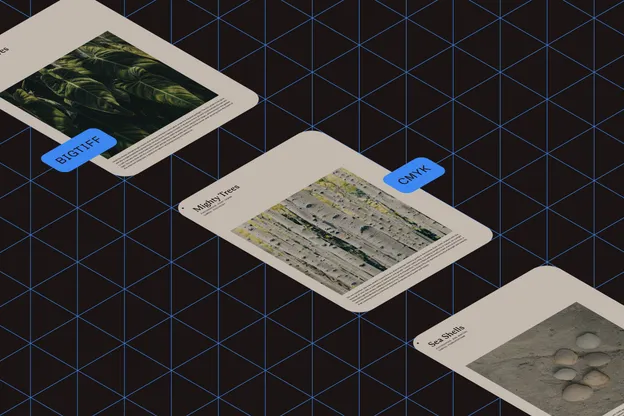
Multipage editing
Split, merge, and append pages without reencoding existing content. View and edit multipage TIFF bitmaps with full read/write support.
Large-file handling
Access specific pages instantly in documents with 100,000+ pages. BigTIFF support enables files larger than 4 GB.
Compression support
Read and write all TIFF compression schemes: PackBits, RLE, Deflate, Adobe Deflate, CCITT Fax 3/4, LZW, and JPEG/OJPEG.
PDF conversion
Convert multipage PDFs to multipage TIFF images for simplified viewing and navigation.
Bit-depth conversion
Transform TIFF bitmaps between color depths, from 1-bit monochrome to 128-bit high dynamic range.
Page processing
Apply image processing and cleanup operations to individual pages within a multipage TIFF document.
CMYK color support
Read and write CMYK TIFF bitmaps for full compatibility with print-on-demand and professional imaging workflows.
File repair
Recover corrupted or malformed TIFF documents automatically to maintain workflow continuity.
Metadata handling
Read and write TIFF metadata for complete control over document information, storage, and management.
DEMO
Test TIFF conversion
Upload a file to convert between PDF and TIFF formats. Preserve quality and page structure in both directions.
GET STARTED
How to use
Download and install the GdPicture.NET package to access compiled demo applications and multi-language sample projects with full source code.
Explore demo apps
Find compiled demo applications in
\Samples\Bin\.Explore multi-language source code
Find C# and VB.NET demo apps and source code in
\Samples\WinForm\.Visit reference guide
Explore other code snippets within the online reference guide.
Example of usage
The example creates a PDF document from a TIFF file.
using GdPictureDocumentConverter gdpictureDocumentConverter = new GdPictureDocumentConverter();// Load the source document.gdpictureDocumentConverter.LoadFromFile(@"C:\temp\source.tiff", GdPicture14.DocumentFormat.DocumentFormatTIFF);// Save the output in a new PDF document.gdpictureDocumentConverter.SaveAsPDF(@"C:\temp\output.pdf");Using gdpictureDocumentConverter As GdPictureDocumentConverter = New GdPictureDocumentConverter() ' Load the source document. gdpictureDocumentConverter.LoadFromFile("C:\temp\source.tiff", GdPicture14.DocumentFormat.DocumentFormatTIFF) ' Save the output in a new PDF document. gdpictureDocumentConverter.SaveAsPDF("C:\temp\output.pdf")End UsingTrusted by 3,000+ customers and Fortune 500 companies
15Y+
More than 15 years of experience developing our SDK
10K+
Trusted by more than 10,000 developers
Check out our other supported formats
Frequently asked questions
What functionalities does the GdPicture.NET TIFF SDK provide for multipage TIFF images?
The SDK offers a range of high-level APIs designed to handle multipage TIFF images efficiently. Developers can access, extract, swap, insert, append, and delete pages within any multipage TIFF file, facilitating versatile document management and editing capabilities.
Can the SDK convert TIFF images to other formats, such as PDF?
Yes. The GdPicture.NET TIFF SDK supports seamless conversion between TIFF and PDF formats. It enables the transformation of multipage TIFF files into PDF documents and vice versa, providing flexibility in document handling and distribution.
Does the SDK support various TIFF compression schemes?
Absolutely. The SDK is compatible with multiple TIFF compression methods, including JPEG, JPEG 2000, JBIG2, CCITT Group 3 and 4 Fax coding, LZW, and Packbits. This ensures efficient storage and transmission of TIFF images while maintaining quality.
Is it possible to view and edit TIFF images within applications using the SDK?
Yes. The GdPicture.NET TIFF SDK includes functionality for viewing and editing TIFF images directly within applications. It provides a fully customizable viewer capable of displaying TIFF files, along with advanced image processing features for editing and enhancing images as per application requirements.
What platforms and programming environments are compatible with the GdPicture.NET TIFF SDK?
The SDK is designed for cross-platform deployment, supporting Windows (32-bit, 64-bit, and AnyCPU), Linux x86-64, Linux ARM-64, and macOS Universal (Intel and M series CPU based). It’s compatible with .NET Framework 4.5 and higher, .NET Core 3.1, and .NET 5.0 or higher, making it suitable for a wide range of development environments and applications.
Is GdPicture’s TIFF processing engine related to the one used in Nutrient’s other SDKs?
Yes. GdPicture.NET belongs to the Nutrient product family, and the TIFF processing technology is the same across Nutrient’s desktop, web, and mobile SDKs, providing consistent multipage TIFF handling across platforms.
60-DAY FREE TRIAL