
Key-value pair extraction SDK for .NET: Automate document data capture
Extract labeled data from unstructured and semi-structured documents with intelligent document processing. Automatically identify field labels and their corresponding values, and then extract and validate the data — no manual templates required.
What are key-value pairs?
A key-value pair links a label (key) to its corresponding data (value). The key is fixed and describes the data type, while the value is the variable part of the pair.
Example: Date (key): 06/04/22 (value)
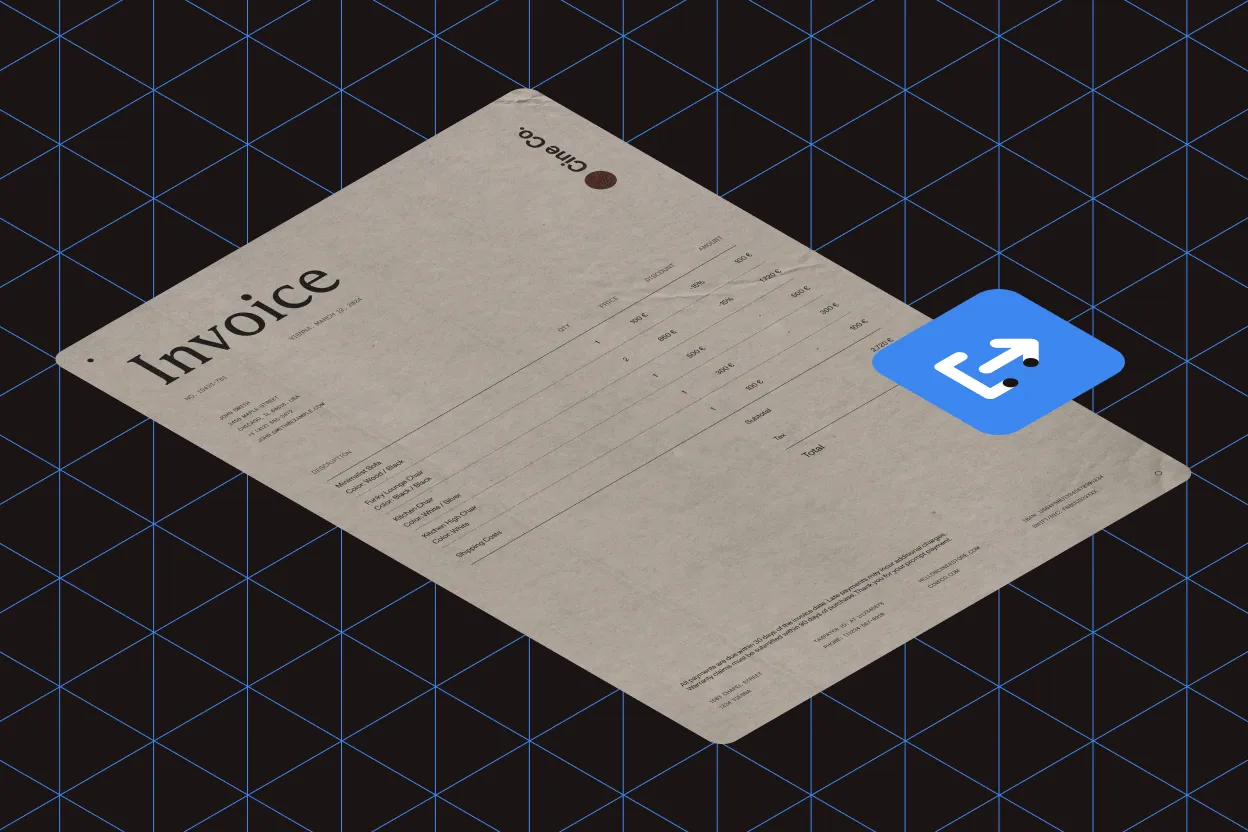
Key-value pairs capture common business data from invoices and other documents:
- Invoice Number
- Date
- Total Amounts
- Taxes
Document-specific fields
Different document types contain different key-value pairs. Invoice fields differ from survey or government form fields. Structured documents like Excel files are easy to parse because values are already labeled, while unstructured documents require intelligent extraction.
The unstructured data challenge
Documents without a predefined data model or consistent organization contain unstructured data. This represents roughly 80 percent of all business documents.
Automated extraction
Key-value pair extraction engines automatically identify and capture information from unstructured documents — no manual data entry required.
The GdPicture key-value pair extraction engine
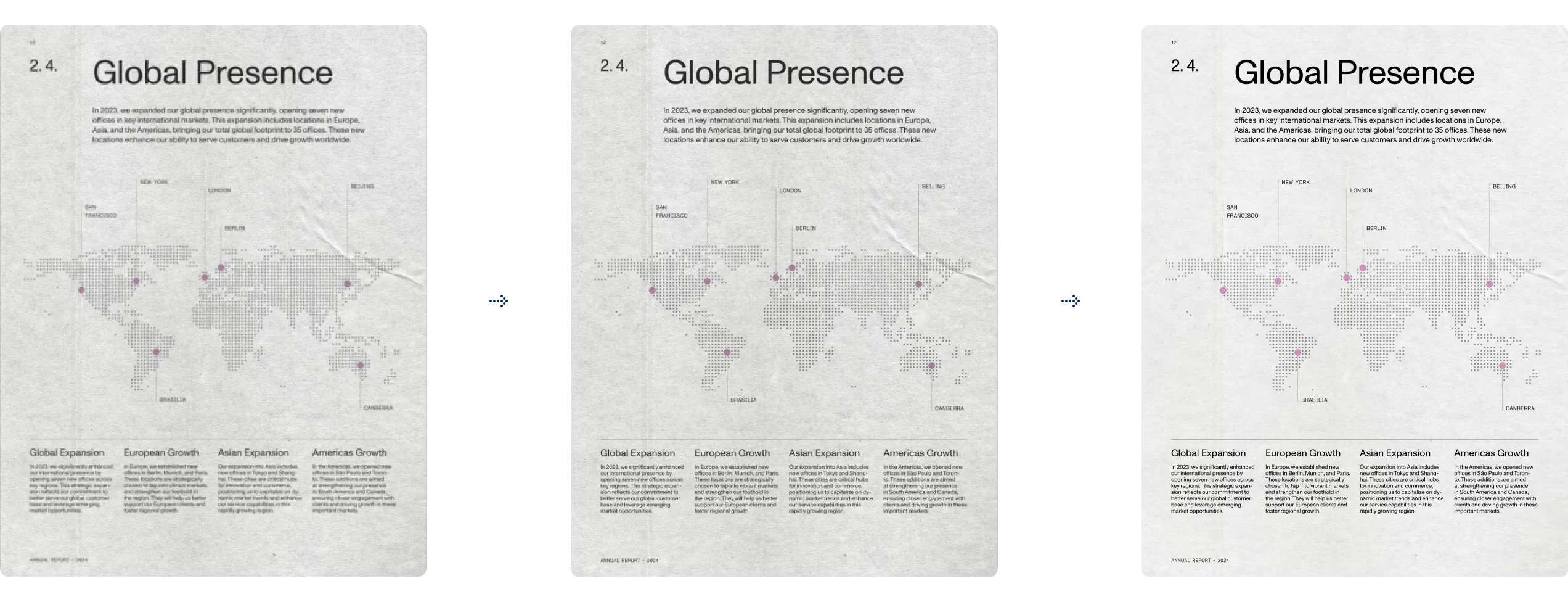
Built on the GdPicture.NET OCR engine, the KVP extractor uses a hybrid approach combining heuristics, mathematics, and machine learning techniques. Advanced OCR and MLP techniques enable the engine to automatically adapt to each document and select the optimal extraction strategy.
This hybrid approach overcomes the typical weaknesses of both traditional OCR and pure machine learning engines.
Handles noisy documents
Adaptive denoising enables text recognition, even in poor-quality images with noise, graphics, and complex table structures.
Difficult character recognition
Recognizes dotted lines, touching characters, and broken letterforms that pure ML engines can’t handle, and improves accuracy with reliable segmentation.
Colored and styled text
Preprocesses colored backgrounds using thresholding and image segmentation. Supports underlined and styled text.
Distortion tolerant
Accurately recognizes skewed text and handles orientation issues across challenging page layouts.
Additional output fields
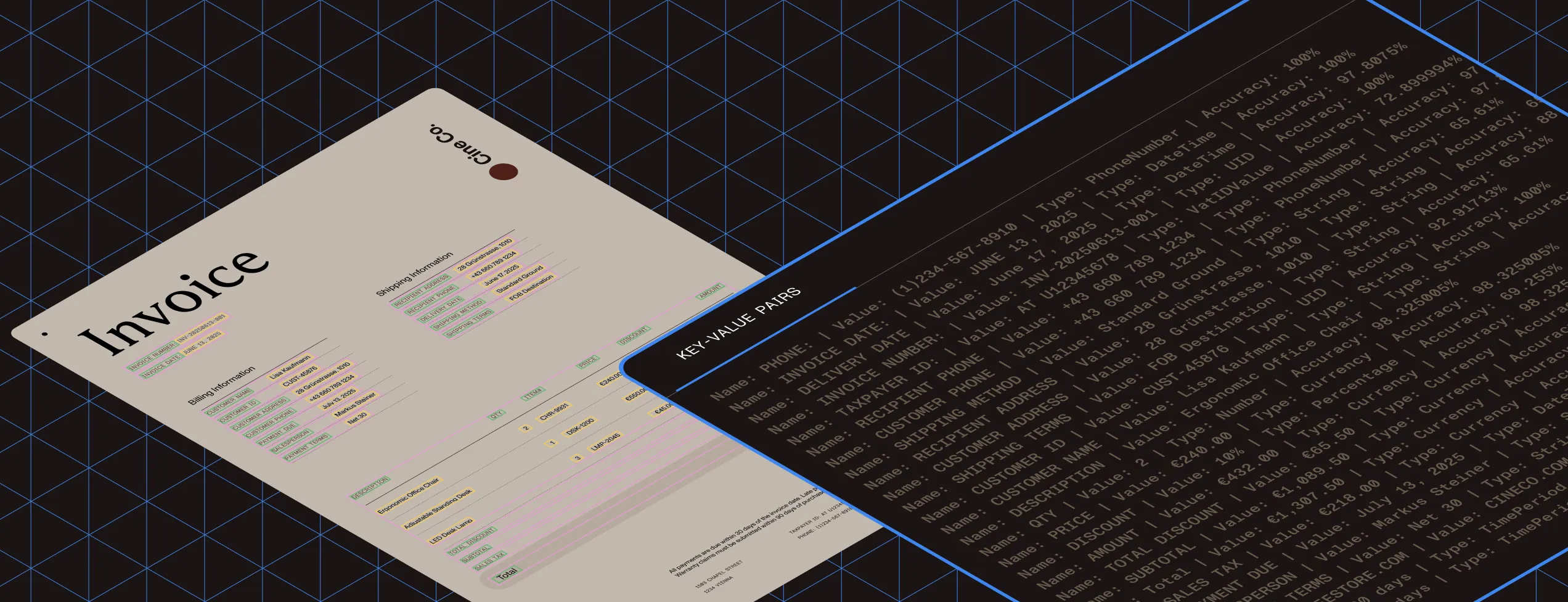
Beyond key and value, the extraction engine returns two additional data points.
Type
Identifies the nature of the extracted content — phone number, IBAN, name, credit card number, and more.
Accuracy
This confidence score is calculated from OCR results at character and word levels, including key type, page location, and other details.
Capabilities and benefits
Document management
- Enhanced document indexing
- Automatic labeling
- Automatic detection of sensitive information for redaction
- Invoice processing automation
Business impact
- Fewer manual errors
- Reduced processing time and costs
- Simplified compliance workflows
INDUSTRIES
Key-value pair extraction use cases
Banking and finance
Insurance
Healthcare
Government
HR
GET STARTED
How to use
Download and install the GdPicture.NET package to access compiled demo applications and multi-language sample projects with full source code.
Explore demo apps
Find compiled demo applications in
\Samples\Bin\.Explore multi-language source code
Find C# and VB.NET demo apps and source code in
\Samples\WinForm\.Visit reference guide
Explore other code snippets within the online reference guide.
Example of usage
This example extracts data items from an invoice.
using GdPictureOCR gdpictureOCR = new GdPictureOCR();using GdPictureImaging gdpictureImaging = new GdPictureImaging();// Load the source document.int imageId = gdpictureImaging.CreateGdPictureImageFromFile(@"C:\temp\source.png");// Configure the OCR process.gdpictureOCR.ResourceFolder = @"C:\GdPicture.NET 14\Redist\OCR";gdpictureOCR.AddLanguage(OCRLanguage.English);gdpictureOCR.SetImage(imageId);// Run the OCR process.string ocrResultId = gdpictureOCR.RunOCR();string keyValuePairsData = "";for (int pairIndex = 0; pairIndex < gdpictureOCR.GetKeyValuePairCount(ocrResultId); pairIndex++){ keyValuePairsData += $"| Key: {gdpictureOCR.GetKeyValuePairKeyString(ocrResultId, pairIndex)} | " + $"Value: {gdpictureOCR.GetKeyValuePairValueString(ocrResultId, pairIndex)} | " + $"Document Type: {gdpictureOCR.GetKeyValuePairDataType(ocrResultId, pairIndex).ToString()} | " + $"Confidence Level: {Math.Round(gdpictureOCR.GetKeyValuePairConfidence(ocrResultId, pairIndex), 1).ToString()}% |\n";}// Write the output to the console.Console.WriteLine(keyValuePairsData);// Release unnecessary resources.gdpictureImaging.ReleaseGdPictureImage(imageId);gdpictureOCR.ReleaseOCRResults();Using gdpictureOCR As GdPictureOCR = New GdPictureOCR()Using gdpictureImaging As GdPictureImaging = New GdPictureImaging() ' Load the source document. Dim imageId As Integer = gdpictureImaging.CreateGdPictureImageFromFile("C:\temp\source.png") ' Configure the OCR process. gdpictureOCR.ResourceFolder = "C:\GdPicture.NET 14\Redist\OCR" gdpictureOCR.AddLanguage(OCRLanguage.English) gdpictureOCR.SetImage(imageId) ' Run the OCR process. Dim ocrResultId As String = gdpictureOCR.RunOCR() Dim keyValuePairsData = ""
For pairIndex As Integer = 0 To gdpictureOCR.GetKeyValuePairCount(ocrResultId) - 1 keyValuePairsData += $"| Key: {gdpictureOCR.GetKeyValuePairKeyString(ocrResultId, pairIndex)} | Value: {gdpictureOCR.GetKeyValuePairValueString(ocrResultId, pairIndex)} | Document Type: {gdpictureOCR.GetKeyValuePairDataType(ocrResultId, pairIndex).ToString()} | Confidence Level: {Math.Round(gdpictureOCR.GetKeyValuePairConfidence(CStr(ocrResultId), CInt(pairIndex)), CInt(1)).ToString()}% |" & vbLf Next ' Write the output to the console. Console.WriteLine(keyValuePairsData) ' Release unnecessary resources. gdpictureImaging.ReleaseGdPictureImage(imageId) gdpictureOCR.ReleaseOCRResults()End UsingEnd UsingTrusted by 3,000+ customers and Fortune 500 companies
15Y+
More than 15 years of experience developing our SDK
10K+
Trusted by more than 10,000 developers
Check out our intelligent document processing technologies
Frequently asked questions
What is key-value pair (KVP) extraction?
Key-value pair extraction is an intelligent document processing technique that automatically identifies and extracts labeled data from unstructured and semi-structured documents. A key-value pair consists of a label (key) that describes a data type and its corresponding value. For example, in an invoice, “Invoice Number” is the key, and “12345” would be the value.
The GdPicture KVP extraction engine uses a hybrid approach combining heuristics, mathematics, and machine learning techniques to automatically identify field labels and their corresponding values without requiring manual templates.
How does key-value pair extraction work?
The GdPicture key-value pair extraction engine works through a multistep process:
- Document analysis — The engine first performs OCR to extract all text from the document
- Pattern recognition — Using machine learning and heuristics, it identifies patterns that indicate key-value relationships
- Data extraction — The system extracts both the key (label) and value, along with additional metadata like data type and confidence score
- Validation — The engine validates extracted data and provides confidence scores for each key-value pair
The hybrid approach ensures accurate extraction, even from noisy documents, skewed text, and challenging layouts that pure ML engines struggle with.
What types of documents benefit from key-value pair extraction?
Key-value pair extraction is particularly beneficial for documents containing structured data fields, including:
- Invoices — Extract invoice numbers, dates, amounts, tax information, and vendor details
- Forms — Process government forms, survey responses, and application documents
- Receipts — Capture transaction details, merchant information, and itemized purchases
- Financial documents — Extract account numbers, balances, and transaction data
- Identity documents — Process passports, driver’s licenses, and ID cards
The technology excels with unstructured documents that represent roughly 80 percent of all business documents — those without a predefined data model or consistent organization.
What are the challenges of key-value pair extraction?
Key-value pair extraction faces several technical challenges that the GdPicture engine is designed to overcome:
- Document quality — Poor-quality scans with noise, graphics, and complex table structures require adaptive denoising
- Varied layouts — Different document types have different field arrangements and formatting
- Character recognition — Dotted lines, touching characters, and broken letterforms are difficult for standard OCR
- Text styling — Colored backgrounds, underlined text, and various fonts require preprocessing
- Orientation issues — Skewed or rotated documents need correction before accurate extraction
The GdPicture hybrid approach addresses these challenges through advanced OCR techniques, machine learning, and intelligent preprocessing.
How can I implement key-value pair extraction in my workflow?
Implementing key-value pair extraction with GdPicture.NET is straightforward:
- Download the SDK — Get the GdPicture.NET package, which includes the OCR engine with KVP extraction capabilities
- Configure OCR — Set up the OCR engine with your resource folder and desired language support
- Process documents — Load your documents and run the OCR process to extract key-value pairs
- Access results — Retrieve extracted data, including keys, values, data types, and confidence scores
- Integrate — Incorporate the extraction into your document management, indexing, or automation workflows
The SDK includes compiled demo applications and multi-language sample projects with full source code in C# and VB.NET to help you get started quickly.
Is GdPicture’s key-value extraction engine part of the Nutrient product suite?
Yes. GdPicture.NET is a Nutrient product. The key-value pair extraction technology is shared across Nutrient’s desktop, web, and mobile SDKs, enabling consistent structured data extraction regardless of platform.
60-day free trial