FAIL (the browser should render some flash content, not this).

GdPicture Pro Imaging SDK - Document Imaging ActiveX


SDK Overview


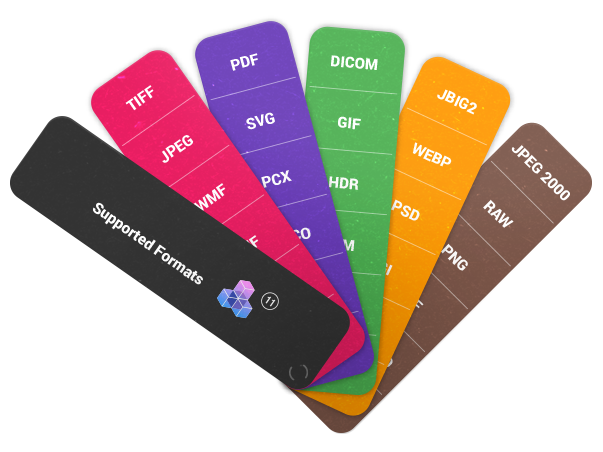
GdPicture Pro Imaging SDK is a Full-Featured Document Imaging Toolkit delivered as ActiveX component to display, create, acquire, edit and print images & PDF. It supports more than 45 vector and bitmap image formats such as multipage TIFF, GIF, JPEG, PNG, JBIG, WMF, WBMP, PDF & PDF/A, PCX, PNM, JPEG 2000, HDR, PSD, TGA, JNG, EXR, DDS, SGI and lot of others.

Images can be cropped, converted, rotated, combined, colors can be reduced, filters and effects can be applied. Images can be scanned from TWAIN devices, OCR can be performed to convert image to text or to build searchable PDF documents…

GdPicture Pro Imaging SDK can be used on any 32-bit and 64-bit Windows development environment that support ActiveX / COM components, including Visual Basic 6, VBA,  Realbasic, Visual C++, Delphi, Visual FoxPro, PHP, ASP,  Access, Windev, PowerBuilder, PowerBasic and many others...

Click here for a .NET version of this toolkit with more features !


GdPicture Pro Imaging SDK can be used as:

  • Document Imaging Plugin for WinForms or WEB applications.
  • PDF Toolkit for displaying and creating PDF and PDF/A files.
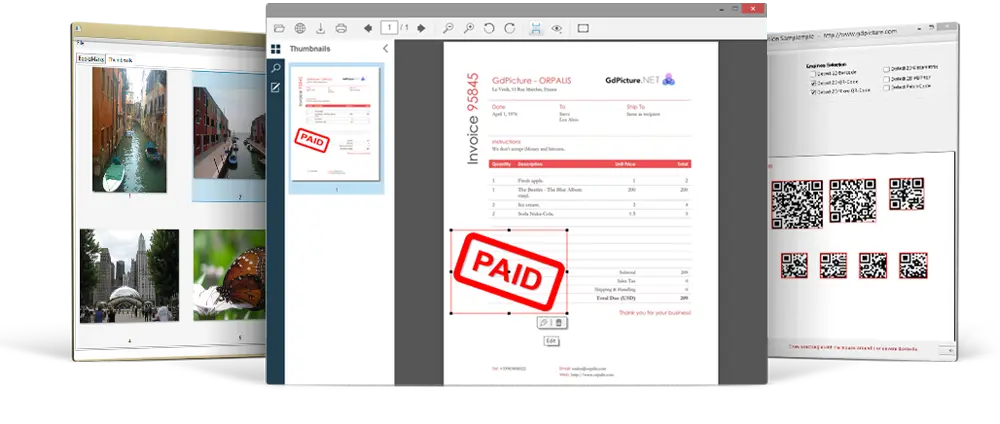
  • Document Viewer: Image, PDF & Metafiles .
  • Barcode Writing SDK.
  • TWAIN 2.0 SDK to acquire images from devices such as capture cards, digital cameras and scanners with ADF support.
  • OCR Toolkit using the optional GdPicture Tesseract Plugin.
  • ...

GdPicture Pro Imaging SDK - Image Processing Toolkit


Major Product Features


Gdpicture Pro Imaging SDK includes 3 classes containing over 850 functions.

IMAGING - Image processing & Document Imaging SDK :

- Advanced imaging processing
- Read, edit and create Multi-page TIFF images
- Read, edit and create Animated GIF images
- Support for 1-bit, 4-bits, 8-bits, 16-bits, 24-bits, 32-bits, 48-bits, 64-bits and 128-bits image color depth
- Import / Export image from clipboard
- Include the GdPicture ADR™ Technology - Automatic Document Recognition Engine
- Import / Export image from HTTP or FTP server
- Advanced TWAIN scanning (webcam and scanner) with Automatic Document Feeder control (ADF) and Auto-scan control
- Use TWAIN capabilities to detect & read barcode symbols including Code 39/128/93, EAN-8/13, PostNet, PDF 417, 2 of 5 Matrix and many others...
- OCR features: Create searchable PDF, convert image to text, perform character recognition on specific area *
- Convert any color depth to any color depth, from 1-bit to 64-bit
- Many color quantization and reduction algorithms
- Load and Save CMYK images
- Apply Color correction according to color management information ICC / ICM
- Read and Write stream & binary data: IStream, array of bytes, string...
- Auto Border removal for bitonal & color images
- Cropping and borders adding functions
- Advanced rotations: basic 90°, 180°, 270°, flip by x-axe or y-axe, specific angle rotation
- Watermark text, shapes or image
- Advanced Text processing
- Make high quality Thumbnails
- Skew and de-skew image manually
- Auto Deskew an image
- Obtain specific color components of an image (Red, Green, Blue, Alpha, Cyan, Magenta, Yellow or Black channel)
- Full metadata support: Read / Write EXIF tags, GPS tags, Thumbnails tags, IPTC tags...
- Print image using printer dialog box, auto-fit feature, automatic rotation and many other capabilities
- Combine Images: Paste images together with transparency effect
- Resizing with 8 different interpolation modes (bilinear, bicubic, nearest neighbor...)
- Drawing lines, ellipse, round, rectangle, Bezier, curve, image with anti-aliasing
- Drawing Barcodes 25i, EAN13, 3 of 9, code 128
- Change brightness, saturation, contrast and gamma
- Bitonal & Color Image Enhancement: Dilate, Erode, Noise removal, Despeckle filters, characters repair...
- Lot of filters and effects (emboss, blur, edge enhance, engrave...)
- Personalized filters with matrix conversion
- Area selection: select areas or regions on an image for processing
- Capture the contents of any window or section of any window
- Color anti-aliasing and smoothing for zoomed images
- Zoom enhance
- HSL, CMY, CMYK, RGB, ARGB, sRGB64, ICM, ICM2 color spaces management
- PDF Write (image, shapes, text, encryption) including PDF/A generation support
...

* Requires the optional GdPicture Tesseract Plugin.

GdViewer & GdViewerCnt - Image & PDF Viewer Controls :

- Image bitmap and vector viewer (very high quality viewer class with many different view modes)
- Load and print single & multiple page image
- PDF Viewer
- Multi page Tiff reading, you can change page easily
- Display big image file
- Read binary data types like IStream, IUnknown, array of bytes...
- Load image from URL
- Multiple image scaling algorithms (Anti-aliasing, Bicubic and Nearest Neighbor Interpolation ...)
- Support for 1bit, 4bits, 8bits, 16bits, 24bits, 32bits, 48bits, 64bits & 128-bits pallets color
- Import image from Clipboard, StdPicture, IPicture, HBitmap, DIB, GDI+ image handle...
- Advanced rotations 90, 180, 270, 360, Flip X, Flip Y
- Advanced and optimized printing features: Print range of pages from a multi-page file, Print multi-page images in single print jobs, Fit image to paper size...
- User define display area
- Animated Gif Viewer
- Advanced scrollbar and auto size features
- Aspect Ratio Control
- Right click pop up menu, including tools, selection, zoom... *
- Built in tools including hand tool, pan and zoom, rectangle selection
- Move / Scroll the image by mouse drag
- Zoom enhance, zoom by height, by width, fit to page...
- User define Zoom and user define area zoom
- Keyboard and Mouse Events
- Change image zoom with mouse wheel
- Smooth Scrolling
- Save and restore the specifies position of image (Image MAP system capability)
- GdViewerCnt: Image viewer container class (like a vb picturebox, can contain other controls placed on it)
- ...

* Contextual menu of the viewer :

contextual menu


Supported image file formats


Click here.


System Requirements


GdPicture Pro works on any Microsoft Windows platforms:

Microsoft Windows (32 bits or 64 bits): 98 / NT4 / ME / 2000 / XP / 2003 / 2008 / VISTA

Pricing


License
Price/License (USD)

Single Developer
499.00
2-5 Developers
319.36
per developer
Site license
1999.00
per site

All licenses include royalty-free distribution with your application or system.
Software license key will continue to be valid for all future major & minor updates of GdPicture Pro Imaging SDK with free upgrades.

Per developer licenses:
Each valid license key entitles a single developer in a single organization to write software which accesses to GdPicture Pro Imaging SDK.

Site license:
This license entitles an unlimited number of developers in a single organization to write software which accesses to GdPicture Pro Imaging SDK.

License Agreement

GdPicture Pro Imaging SDK


Toolkit Features


Available Plugins


Customer Reviews

See here.


Product Keywords

Imaging SDK
Image Processing SDK
Imaging ActiveX
Document Imaging ActiveX
Imaging Control

 
Home | Company | Toolkits Overview | Downloads | Evaluate | Order | Support | Contact | F.A.Q. | Documentation | Search | Sitemap
All elements present on this site are the exclusive property of GdPicture and are protected by intellectual property law. Any total or partial reproduction
of the elements of the website is prohibited without the explicit consent of the site's publication director.
Feedback Form