

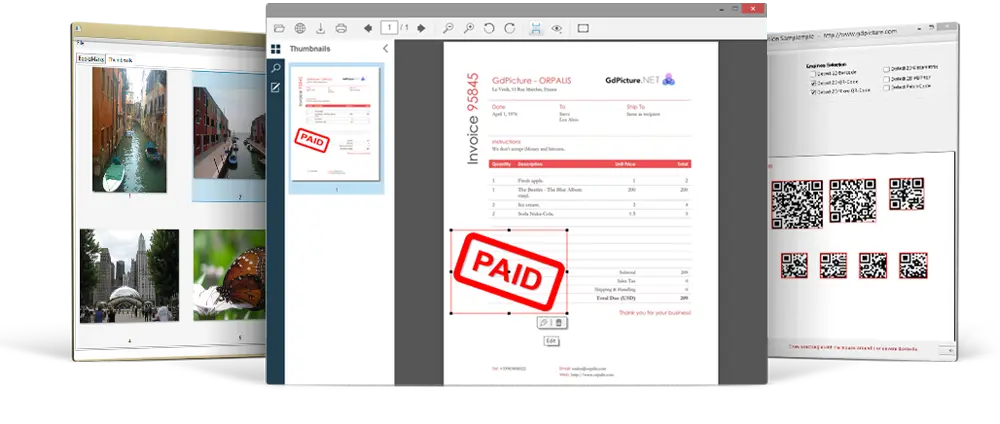
Best Document Management SDK
- Document viewing, processing, printing and scanning (TWAIN & WIA).
- Built-in fast and accurate document conversion engine (ie: docx to pdf, tiff do docx…).
- Reading, cleaning, writing and converting documents in more than 100 formats, TIFF, PDF, DOCX, ODT, XLSX, DXF, RTF, DXF, DICOM, SVG, JBIG2 & JPEG 2000 included.
- OMR, OCR, MICR, Document Recognition, barcode reading and writing (linear & 2D).
- Annotations for image and PDF within Windows and Web applications.
- Color detection & MRC engine for image and PDF compression.
- Unrivaled hyper compression engine.
- High fidelity PDF/A converter engine.
The most complete Document Imaging Toolkit on the market
Including .NET WinForms, WPF, ASP.NET and COM/ActiveX UserControls.
Delivered as native .NET and COM/ActiveX components, GdPicture.NET SDK allows developers to compose, display, capture, annotate, clean-up, edit and print documents from within their own WinForms, WPF and Web applications written in C#, VB.NET, Visual Basic 6, Delphi, C++, Microsoft Access, Visual FoxPro, HTML, JavaScript, VBScript, ASP.NET, PHP…
All-In-One Document Imaging Toolkit For Complete PDF Support!
GdPicture.NET is an all-in-one toolkit for complete PDF support, any Office document formats manipulation, CAD support, image processing, document imaging, scanning, barcoding, printing, OCR, Forms processing, annotations and much, much more.
No need to buy several products anymore, GdPicture.NET does it all!

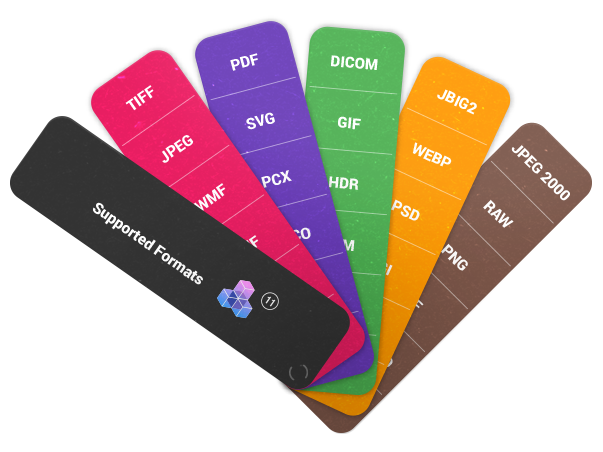
100+ Supported Formats.
GdPicture Technology enables you to load, save and convert documents in over 100 raster and vector document formats.
Including TIFF, PDF, DOCX, ODT, RTF, SVG, DXF, JPEG-2000, JBIG2, DICOM, GIF, JPEG, PNG, WMF, EMF, BMP, camera RAW, RAW Fax G3, ICO, PCX, PNM, HDR, Photoshop files, TARGA, JNG, EXR, DDS, PPM, SGI, PBM, PGM, PFM, XBM, XPM, KOALA, IFF, Dr. Halo files, WBMP, Kodak PhotoCD files, Sun RAS files and many others.
Try GdPicture.NET Now!
Free download. Includes all features and priority support.
Need resources to start? Register with our forum, read the online GdPicture.NET documentation including lot of tutorials, check the FAQ section or simply browse our website carefully, you will find lot of information.
Supported Systems and .NET Platforms:
- Cross-platform support for Windows (32-bit, 64-bit & AnyCpu), Linux x86-64, Linux ARM-64, and macOS Universal (Intel and M series CPU based).
- .NET Framework 4.5 and higher, .NET Core 3.1 or .NET 5.0 or higher.
- Windows compatibility from Vista to Windows 11 and Windows Server from 2008 to 2022.
- ASP.NET WebForm, ASP.NET MVC, ASP.NET Core, Windows Forms, WPF, COM/ActiveX.
- Works in all modern browsers such as IE10+, Chrome, Chrome for Android, Firefox, Firefox for Android, Opera, Opera Mini, Opera for Android, Safari 5+, Mobile Safari…








FAQs
Need More Information?
Feel free to contact our sales and support teams.
They will be happy to assist!