SDK Overview
GdTwain Pro SDK is a full-featured Scanner ActiveX Component with viewer control allowing developers to display and acquire image from TWAIN devices such as scanners, cameras and capture cards.
With GdTwain Pro SDK you can fully control the image acquisition process and display the captured image into a high quality viewer control. You will be able to acquire multiple images in one step from an automatic document feeder (ADF) , use the scanner interface or create your own, apply image filters and effects, control all capabilities of a Twain device like brightness, contrast, saturation, gamma, color depth, auto-deskew, auto border removal and many others features defined into the TWAIN 1.9 Specification.
With GdTwain Pro SDK, you will be able to do anything that your device supports.
Major Product Features:
GdTwain Pro SDK includes 2 classes containing over 350 functions.
TWAIN - Twain acquisition & Image processing control :
- Very easy to use and fast integration within your application
- Use the included TWAIN device user interface or create your own
- Supports data source enumeration and selection
- Advanced image processing (auto border removal, adjust brightness / contrast / saturation / gamma / rotation...)
- Capture an image to gdiplus or DIB image handle
- Capture an image to image file or PDF file
- Capture an image to clipboard
- Capture an image to byte array
- Capture an image to HBitmap
- Capture an image to StdPicture object
- Create fast batch scanning process
- Support lzw, ccitt3, ccitt4, rle and Jpeg compression
- Support for 1bit, 4bits, 8bits, 16bits, 24bits, 32bits, 48bits and 64bits color depth
- Image enhancement functions
- Convert any color depth to any color depth, from 1-bit to 64-bit
- Many color quantization and reduction algorithms
- Advanced Text processing: add text with semi transparency effect, draw rotated text...
- Adjust the twain device image resolution (DPI)
- Defines a custom area of capture
- Defines the acquired image orientation
- Defines the acquired image size
- Defines the acquired image color depth and palette mode
- Defines the twain device brightness and contrast
- Supports Automatic Document Feeder (ADF) control for single and multiple page acquisition.
- Supports duplex scanning.
- Enable / disable ADF support
- Enable / disable AutoScan mode
- Enable / disable duplex scanning
- Enable / disable Automatic Deskew
- Enable / disable Automatic Rotation
- Enable / disable Automatic Border Detection
- Enable / disable Automatic Brightness
- Select the twain device pixel type, B/W Color, Gray color, RGB color, CMYK color...
- Provides additional low level API in order to get and set all the TWAIN capabilities like image rotation, image scaling, barcode detection ...
...
GdViewer - Image Viewer control :
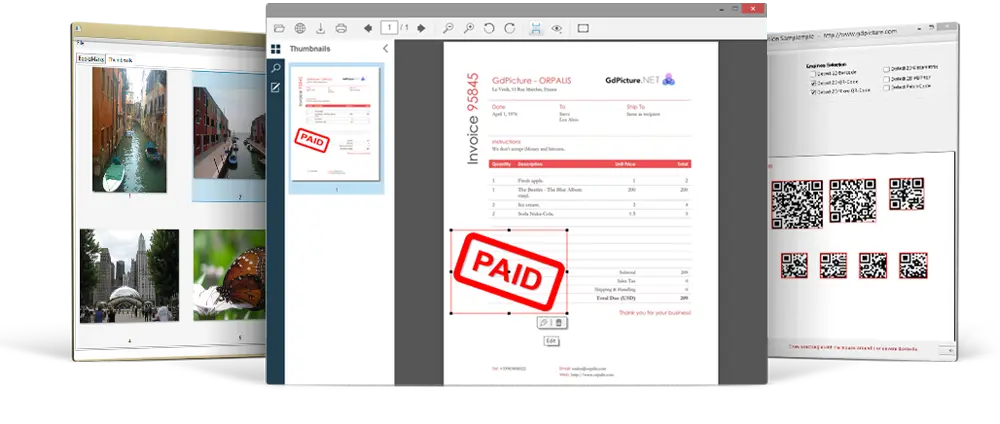
- Image bitmap and vectorial viewer (very high quality viewer class with many differents view modes)
- Load and print tif, multipage tiff, ico, jpeg, png, wmf, emf, gif, animated gif, dib, pcx, pnm, fax image files
- PDF Viewer
- Multipage Tiff reading, you can change page easly
- Display big image file
- Read binary data types like IStream, IUnknown
- Load image from URL
- Multiple image scaling algorithms (Antialiasing, Bicubic and Nearest Neighbor Interpolation ...)
- Support lzw, ccitt3, ccitt4, rle and Jpeg compression
- Support for 1bit, 4bits, 8bits, 16bits, 24bits, 32bits, 48bits and 64bits pallets color
- Import image from Clipboard, StdPicture, IPicture, HBitmap, DIB, gdiplus handle...
- Advanced rotations 90, 180, 270, 360, Flip X, Flip Y
- Advanced and optimized printing features: Print range of pages from a multi-page file, Print multi-page images in single print jobs, Fit image to paper size...
- Area processing
- User define display area
- Animated Gif Viewer
- Built in timer with TimerTick event
- Advanced scrollbar and autosize features
- Aspect Ratio Control
- Right click pop up menu, including tools, selection, zoom... *
- Built in tools including hand tool, pan and zoom, rectangle selection
- Move / Scroll the image by mouse drag
- Zoom enhance, zoom by height, by width, fit to page...
- User define Zoom and user define area zoom
- Keyboard and Mouse Events
- Change image zoom with mouse whell
- Smooth Scrolling
- Save and restore the specifies position of image (Image MAP system capability)
- GdViewerCnt: Image viewer container class (like a vb picturebox, can contain other controls placed on it)
- ...
* Contextual menu of the viewer :

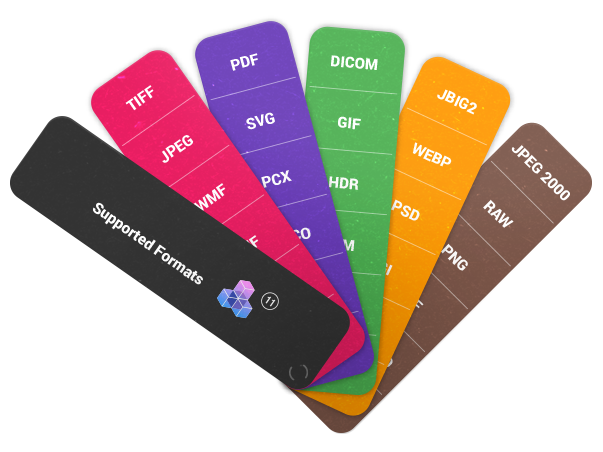
Supported input image file formats:
* BMP, DIB, RLE (standard Windows Bitmap file format) [displaying, writing].
* ICO (Icone file format) [displaying, writing].
* EMF (Enhanced Windows Metafile format) [displaying].
* GIF, ANIMATED GIF, Interlaced GIF (Graphics Interchange file format) [displaying, writing].
* JPEG, JPG, JPE, JFIF (Joint Photographic Expert Group file format) [displaying, writing].
* PNG (Portable Network Graphics file format) [displaying, writing].
* TIFF, TIF (Single & Multipage Tagged-Image File format) [displaying, writing].
* WMF (standard Windows Metafile format) [displaying].
* PNM, PPM, PBM, PGM, RPPM, RPGM, RPBM (Portable Any Map) [displaying, writing].
* PCX (PC Paintbrush File format) [displaying, writing].
* PDF (Single page Portable Document Format). [displaying, writing].
* PDF ( Multipage Portable Document Format). [displaying].
Supported export file formats:
* BMP (standard Windows Bitmap file format).
* ICO (Icone file format).
* GIF, Interlaced GIF (Graphics Interchange file format).
* JPEG (Joint Photographic Expert Group file format).
* PNG (Portable Network Graphics file format).
* TIFF, TIF (Single & Multipage Tagged-Image File format).
* PDF (Portable Document File).
* PNM (Portable Any Map).
Supported TIFF file compressions:
* CCITT Group 3 fax encoding.
* CCITT Group 4 fax encoding.
* CCITT Modified Huffman RLE.
* LZW compression.
* Packbits - Macintosh RLE compression.
* ZIP compression - Deflate.
* JPEG.
* Old JPEG 6.
* Pixar's compression.
* LogLuv compression.
System Requirements:
Microsoft Windows (32 bits or 64 bits): 98 / NT4 / ME / 2000 / XP / 2003 / VISTA
|