Loading...

GdPicture ADR™

Automatic Document Recognition Engine

Overview


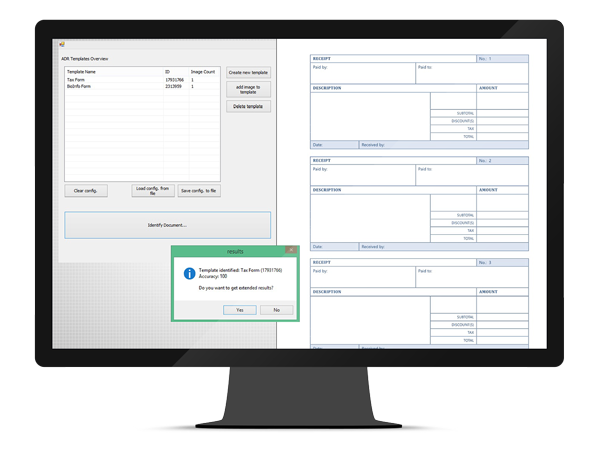
GdPicture ADR is a clever engine designed for automatic document classification and categorization tasks in a document and information management system. It allows your applications to identify invoices, checks, forms, orders, delivery notes, page separators or any kind of structured document.

GdPicture ADR can also be used to develop image comparison applications.

GdPicture ADR technology delivers a wide range of document recognition functions that can be integrated into a variety of applications, including scanning, archiving, indexing, sorting, classification, search, document & information management.

With GdPicture ADR, you can automatically or manually assign an electronic document to one or more categories, based on its contents; resulting in less document preparation and faster processes.


Download and install GdPicture.NET package from here.

  • You will be able to find some compiled demo applications in [Install directory]\samples\Bin\
  • You will be able to find C# and VB.NET demo applications including source code in [Install directory]\samples\AnyCPU\
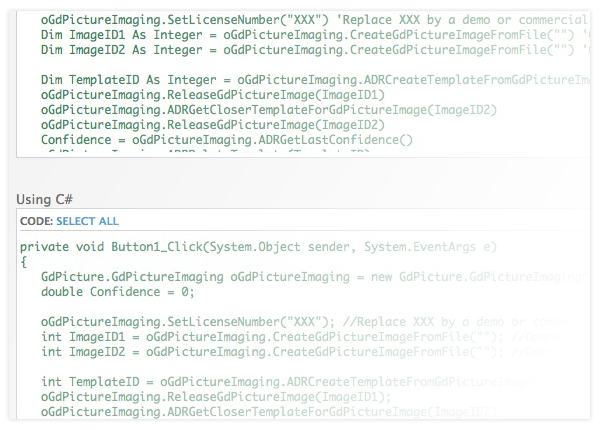
  • You will find other code snippets within the online reference guide found here http://guides.gdpicture.com
  • You can find some discussions about GdPicture ADR engine in the dedicated section of our community forums located here http://forums.gdpicture.com/auto-document-reco/


Where can I use or evaluate the GdPicture ADR Engine?


The engine is included within the GdPicture.NET SDK, into the GdPictureImaging Class.
By downloading the SDK you can use or evaluate the GdPicture ADR engine.
You can get a one month trial KEY here. You can also purchase licenses here.


What is the minimum image resolution to get reasonable accuracy?


The minimum image resolution is about 150 DPI. Lower resolutions will result in dramatic decrease of recognition accuracy.


How to decide which images to add to a template for ADR?


You should use an image that is the best representation of the document to identify. If the image is a formulary document intended to be filled by hand, we suggest to add a blank form and a filled form in the same template. Basically you should try to set at least 2 images per template.


How are those images used when performing the comparison?


The engine will try to identify each document by performing a layout analysis. Each layout is then compared with the battery of existing templates. The more the layout of the analysed document is close to the template, the higher the resulting score will be.


Should the images be whole scans of sample documents or key anchor points?


The full capture of each image template is required, if possible acquired in the same conditions, and in the same resolution as images to identify.


Should the images contain text, graphics (logos), or both?


The images can contain any kind of data. But keep in mind that the engine has been designed to identify forms or structured documents. Therefore you can expect to get better accuracy with invoices recognition than digital photo recognition.