WIA SDK
Scan WIA is a built-in Windows feature that lets you connect to scanners without installing extra drivers or software.
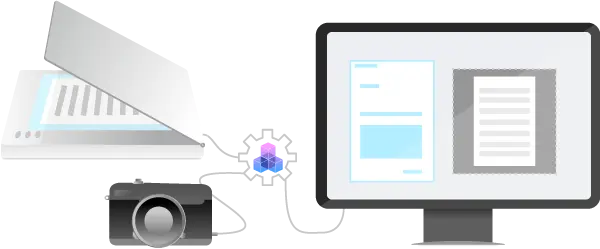
Windows Image Acquisition (WIA) is a Microsoft driver model and API that enables software to communicate with image acquisition devices such as scanners, digital cameras and Digital Video-equipment.
WIA is a good alternative to control non TWAIN-compliant device.
GdPicture.NET offers a battery of functions to control imaging devices through WIA model in native 32-bit or 64-bit mode with few lines of code & high level of stability.
Trusted since 15+ years, by 3000+ and Fortune500 companies, and 10K+ developers.














Main Features
Benefits

Extended digital camera support
Thanks to WIA scanning support, you can build applications that operate with digital cameras and video devices. Do you encounter any issues with your device? Let us know so we can investigate.

Continuous Development and Delivery
To provide you with the latest technologies and an always up-to-date SDK, we publish weekly releases. Check our version history page and subscribe to our developer newsletter to learn more about the new features and improvements.

Universal scanning support
GdPicture.NET scanning SDK is compatible with the two most used scanning protocols, TWAIN and WIA. Acquisition from all types of scanner devices and digital cameras is possible, supporting both 32 and 64bits.
How to use
Download and install GdPicture.NET package from here.
You will be able to find a compiled demo applications in
[Install directory]\Samples\Bin\
You will be able to find C# and VB.NET demo applications including source code in
[Install directory]\Samples\WinForm\ (see WIA Scanning app.)
You will find other code snippets within the online reference guide found here
You can find some discussions about WIA in the dedicated section of our community forums located here
FAQ
What are the differences between TWAIN and WIA scanning?
Here are a few things to keep in mind when working with both protocols:
What is WIA support with the TWAIN compatibility layer?
WIA provides a TWAIN compatibility layer that allows TWAIN-aware applications to communicate with WIA devices but doesn’t have full access to it (for instance, an application cannot suppress the user interface using the TWAIN compatibility layer).
If your device supports both TWAIN and WIA, we recommend using TWAIN.
Check our community forum for more discussions about scanning in GdPicture.NET.
Do you provide WIA support for web scanning?
We provide web scanning support via our DocuVieware HTML5 Viewer and Document Management Kit.
DocuVieware can handle both protocols. It will offer WIA support through TWAIN 1.9 if no TWAIN driver is available.
You can learn more about web scanning and try our live demo on the DocuVieware website.