ZUGFeRD, Factur-X, and GdPicture.NET

Table of contents
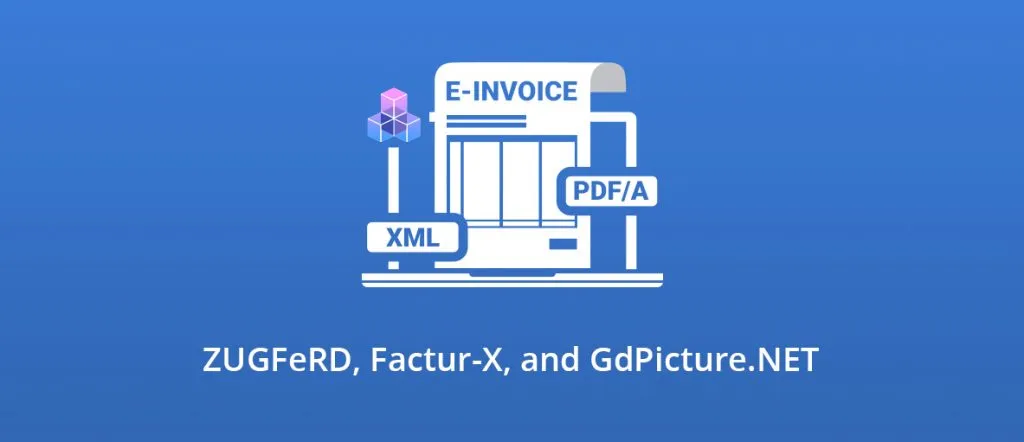
ZUGFeRD and Factur-X - do you know these words? They both represent standardized e-invoices formats used widely on the European market, especially in Germany and German-speaking countries for ZUGFeRD, and Germany and France for Factur-X. If you are wondering, like one of our users:
“ I have an invoice as a PDF document and an XML document that describes that PDF. Is it possible to create a ZUGFeRD or Factur-X conform PDF document with GdPicture.NET? ”
The answer is simple: yes it is!Now, let’s see more in detail what are ZUGFeRD and Factur-X, and how you can generate them with GdPicture.NET.
E-invoicing
Electronic invoices move the world. They are part of the massive Electronic Data Interchange (EDI)(opens in a new tab). Each e-invoice is read, processed, and stored by a machine. To achieve this, standardization comes into play. E-invoices need to be in a standardly defined format easily recognizable by software applications. The EU norm for e-invoicing is called the European Standard EN 16931(opens in a new tab).
Hybrid e-invoice
For EDI implementation of e-invoices into the business, the paper invoice can’t only be scanned and stored. Scanned invoices are readable by humans. On the contrary, the invoice data transformed into the standardized format for machine processing are not readable by a human at all. A combination of both these capabilities results in the so-called hybrid e-invoice(opens in a new tab). It is a combination of an original invoice, for example, a scanned paper, and invoice data itself in the standardized format prepared for automatization. The first one is in a standardized ISO PDF format conformed to PDF/A-3 and the second one is a structured XML file.
ZUGFeRD
ZUGFeRD(opens in a new tab) (Zentraler User Guide des Forums elektronische Rechnung Deutschland) is a unified standard for transferring electronic invoices in Germany, based on PDF and XML. ZUGFeRD conformed document makes use of PDF/A format for long-term digital archiving. Benefiting from the PDF/A ISO standard part 3 (PDF/A-3)(opens in a new tab), the non-PDF structured XML file representing the invoice data can be embedded into a human-readable PDF document, the original invoice. The new ZUGFeRD version 2.0(opens in a new tab) published in March 2019 meets the requirements of both the ISO PDF/A-3 standard and the EU standard norm EN 16931 as well.
Factur-X
Factur-X(opens in a new tab) is a French-German co-developed standard for hybrid e-invoicing. It is the first implementation of the mentioned norm EN 16931 published by the European Commission in October 2017. Factur-X is the same standard as ZUGFeRD 2.0.
Go on with GdPicture.NET
Now we know the facts, so let’s come back to the use-case. How can we produce ZUGFeRD compatible e-invoice with GdPicture.NET?
Three quite simple steps are crucial. Let’s assume you have an original invoice in PDF format called “invoice.pdf” and you have a corresponding XML file called “zugferd_invoice.xml” representing the invoice data.
- The first step is to embed the XML file into the PDF document.
- The second step is to convert the newly created PDF document to PDF/A-3 level a, b, or u conformed one depending on your needs or on the source document. If the source invoice is not PDF/A-3 compliant, the good choice here is to save as PDF/A-3b conformed document.
- The third step is to provide the necessary modifications to the metadata of the resulting document.
Here is the code:
` using (GdPicturePDF gdPicturePDF = new GdPicturePDF()) { gdPicturePDF.LoadFromFile("invoice.pdf", false); // Embedding xml part. gdPicturePDF.EmbedFile("zugferd_invoice.xml", "Rechnungsdaten im ZUGFeRD-XML-Format"); // Saving as PDF/A-3b. gdPicturePDF.ConvertToPDFA("zugferd_invoice_pdfa3b.pdf", PdfConversionConformance.PDF_A_3b, true, true); gdPicturePDF.CloseDocument();
gdPicturePDF.LoadFromFile("zugferd_invoice_pdfa3b.pdf", true);
// Modifying the metadata. string currentMetadata = gdPicturePDF.GetMetadata();
// Add basic ZUGFeRD schema properties. string zugferdMetadata = "\r\n"; zugferdMetadata += "BASIC\r\n"; zugferdMetadata += "zugferd-invoice.xml\r\n"; zugferdMetadata += "INVOICE``\r\n"; zugferdMetadata += "2p0\r\n"; zugferdMetadata += "`\r\n"; // Add PDF/A extension schema description for the ZUGFeRD schema. // Here you should add the proper metadata according to the ZUGFeRD specification. // Example: https://www.pdflib.com/fileadmin/pdf-knowledge-base/zugferd/ZUGFeRD2_extension_schema.xmp
currentMetadata = currentMetadata.Insert(currentMetadata.IndexOf("`
Finally, you can validate the result, for example, using these free validators:https://www.din-zugferd-validation.org(opens in a new tab)https://www.zugferd-community.net/de/open_community/validation(opens in a new tab)
And that’s it! You now have a ZUGFeRD/Factur-X conform electronic invoice ready for your business.
As usual, if you have any questions related to e-invoicing (or any other question!), please get in touch(opens in a new tab).
Don’t forget to download the latest version(opens in a new tab), we improve our toolkit weekly!
Cheers,